File Converter – Single Seat License
One-time purchase for one user, with lifetime updates.
- $9 one-time payment
- Lifetime updates
- Use on your own Chrome profile
 File Converter
File Converter helps you switch formats in a few clicks—so you can meet requirements, deliver client-ready files, and export a clean copy fast.
One wrong file format can block approvals, uploads, and client delivery. File Converter gives you a quick, repeatable path to the right format—without switching tools.
Platforms, clients, and teams often demand a specific format—and “almost right” still gets rejected.
Opening desktop apps or searching random converters adds friction—especially when you have multiple files.
Choose your input file, select the target format, and download your converted output—fast and predictable.
Ideal for individuals and business owners who need reliable conversions without a complex editor.
Convert deliverables into client-required formats without rework.
Convert documents for approvals, archiving, and sharing—quickly.
Convert JPG/PNG assets for upload requirements and crisp output.
Everything you need to convert files quickly and export a clean output—without bloat.
Convert common document formats for sharing and approvals.
Convert JPG ↔ PNG for compatibility and clean visuals.
Make PDFs editable when you need updates.
Export polished PDFs for printing and delivery.
Simple steps with quick export for everyday use.
Convert multiple files back-to-back with minimal clicks.
Pick the right output format confidently.
Check you’re exporting what you intended before download.
Your original stays untouched; you download a converted output file.
Clean workflow, simple pricing, and reliable output for individuals.
A fast, repeatable process you can finish in minutes.
A quick look at the full flow from selection to export.
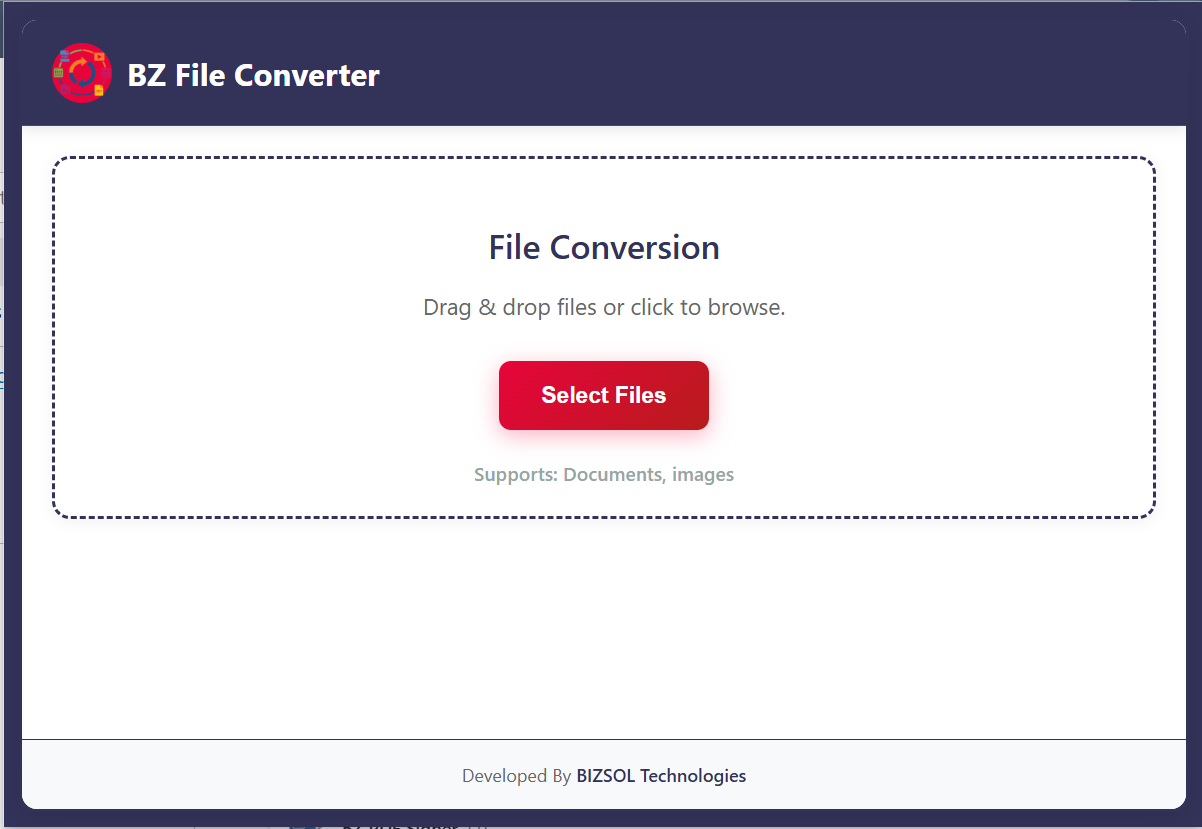
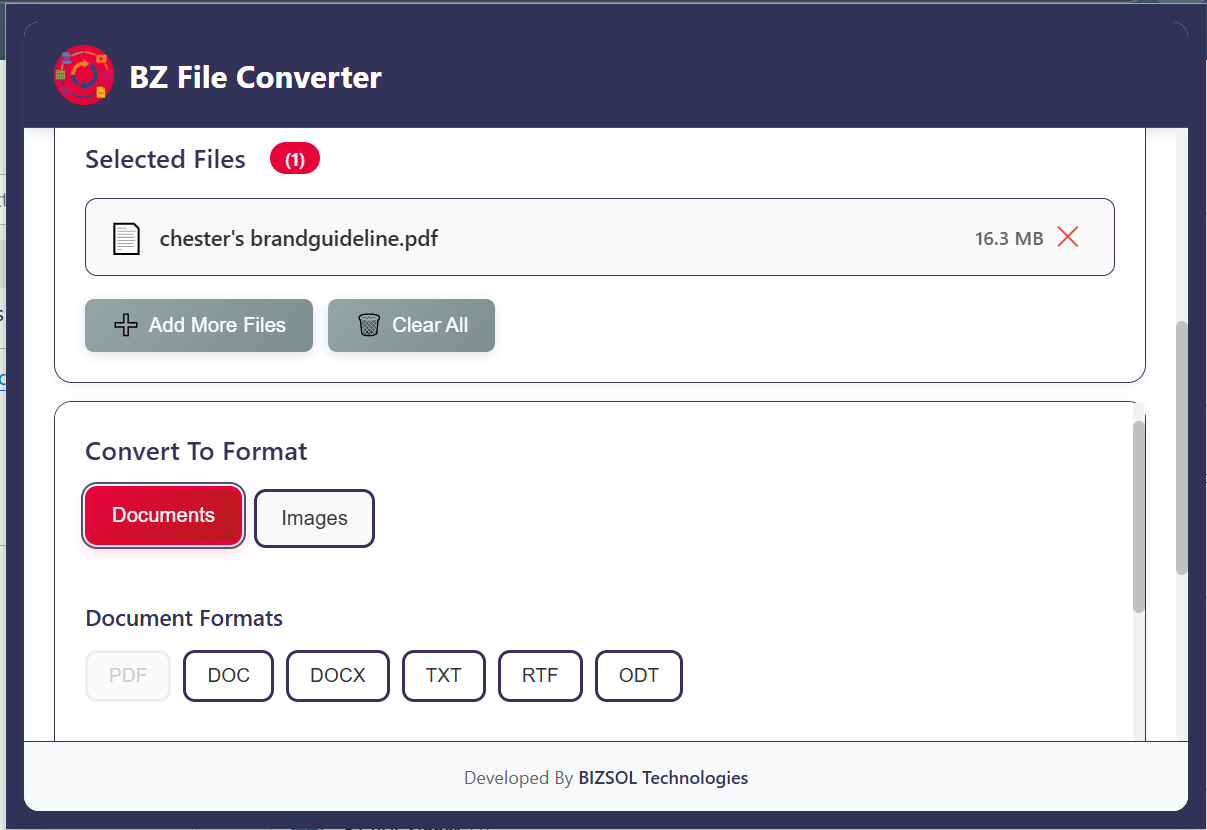
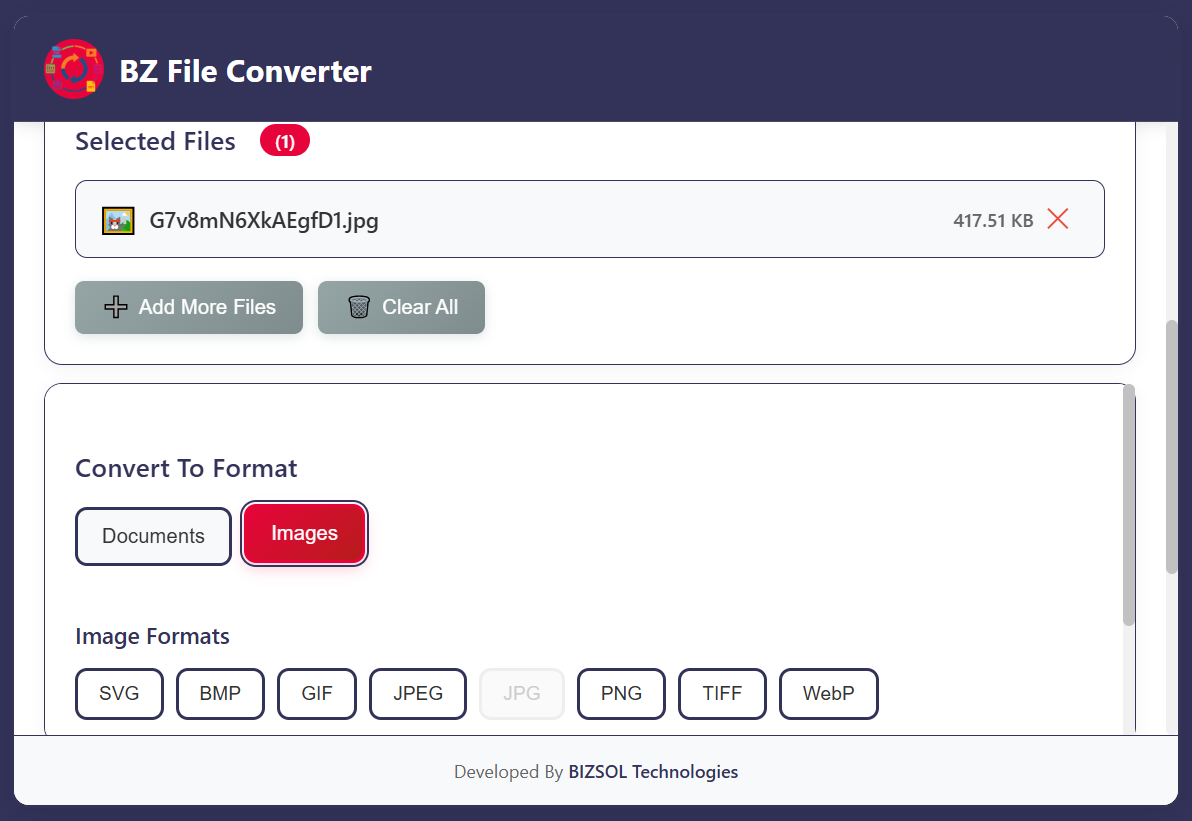
Common situations where quick conversion makes a real difference.
Convert Word to PDF for consistent formatting and approvals.
Convert PDF to Word when you need to edit text quickly.
Convert JPG ↔ PNG to meet platform requirements and keep quality.
One clear plan for individuals and single users.
One-time purchase for one user, with lifetime updates.
If it doesn’t fit your workflow, email support and we’ll refund within the guarantee window.
Support: support@bizsoltech.com
Docs: bizsoltech.com/plugins/file-converter/
Built for practical workflows and backed by responsive help.
Designed to reduce reliance on random upload sites. For strict compliance, follow your organization’s policies.
Email: support@bizsoltech.com
Docs: bizsoltech.com/plugins/file-converter/
Typical response time: within 1 business day.
Short answers to the most common questions before you buy.
No—$9 one-time per seat, with lifetime updates.
It’s built for everyday conversions like Word ↔ PDF and JPG ↔ PNG. Available options depend on what’s enabled in the extension.
The workflow is designed to run in your browser. For strict compliance needs, follow your organization’s policies.
Chrome v120+ on Windows/macOS/Linux.
No—conversions export a new output file. Your original file remains unchanged.
One seat is for one user. You can use it on your own devices where you’re the primary user.
Yes. Your purchase includes future updates, fixes, and compatibility improvements.
14-day money-back guarantee. Email support with your order details to request a refund.
Typical response time: within 1 business day via support@bizsoltech.com.
Visit bizsoltech.com/plugins/file-converter/.
Convert files in Chrome, download clean outputs, and keep work moving.