

Launching a SaaS product is hard. Scaling it without rewriting the codebase from scratch? Even harder.
That’s why EasyLaunchpad was built with modular .NET Core architecture—giving you a powerful, clean, and extensible foundation designed not just to get your MVP out the door but to support long-term growth without compromising flexibility.
Whether you’re a solo developer, startup founder, or managing a small dev team, understanding the architecture under the hood matters. In this article, we’ll walk through how EasyLaunchpad’s modular architecture works, why it’s different from typical “template kits,” and how it’s designed to scale with your business.
Why Architecture Matters
Most boilerplates get you started quickly but fall apart as your app grows. They’re rigid, tangled, and built with shortcuts that save time in the short term—while becoming a burden in the long run.
EasyLaunchpad was developed with one mission:
Build once, scale forever.
It follows clean, layered, and service-oriented architecture using .NET Core 8.0, optimized for SaaS and admin-based web applications.
Key Principles Behind EasyLaunchpad Architecture
Before diving into file structures or code, let’s review the principles that guide the architecture:
| Principle | Explanation |
|---|---|
| Separation of Concerns | Presentation, logic, and data access layers are clearly separated |
| Modularity | Each major feature is isolated as a self-contained service/module |
| Extensibility | Easy to replace, override, or extend any part of the application |
| Dependency Injection | Managed using Autofac for flexibility and testability |
| Environment Awareness | Clean handling of app settings per environment (dev, staging, production) |
Folder & Layered Structure
Here’s how the core architecture is structured:
/Controllers
/Services
/Repositories
/Models
/Views
/Modules
/Jobs
/Helpers
/Configs
✔️ Controllers
Responsible for routing HTTP requests and invoking service logic. Kept minimal to adhere to the thin controller, fat service approach.
✔️ Services
All core business logic lives here. This makes testing easier and ensures modularity.
✔️ Repositories
All database-related queries and persistence logic is encapsulated in repository classes using Entity Framework Core.
✔️ Modules
Each major feature (auth, email, payment, etc.) is organized as a self-contained module. This allows plug-and-play or custom replacements.
What Makes EasyLaunchpad a Modular Boilerplate?
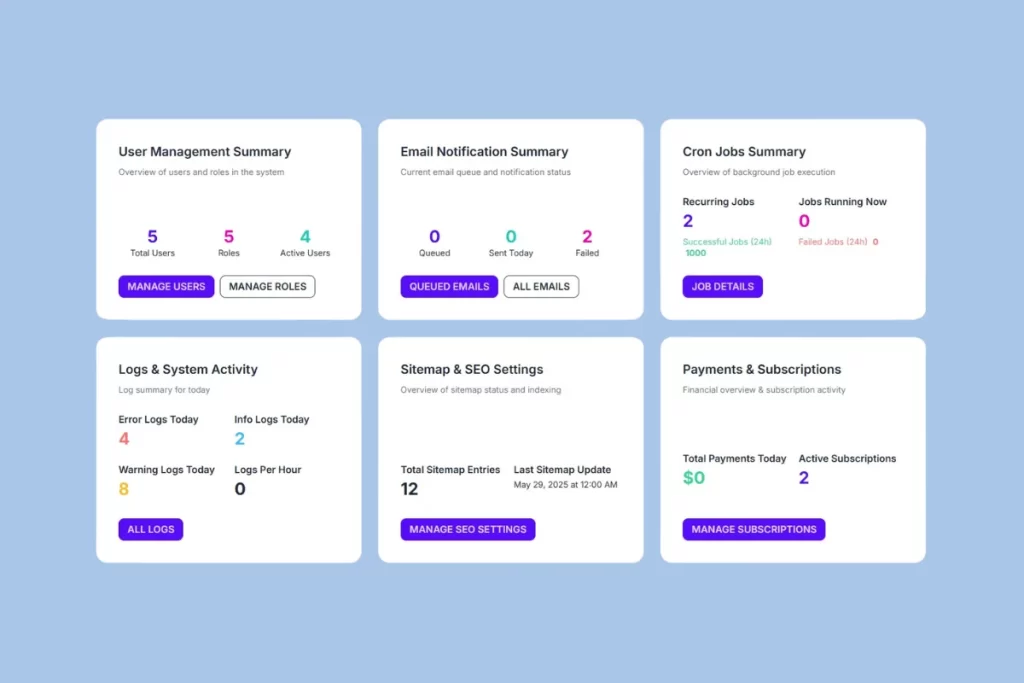
The magic of EasyLaunchpad lies in how it isolates and organizes functionality into feature-driven modules. Each module is independent, uses clean interfaces, and communicates through services—not tightly coupled logic.
Modular Features
| Module | Functionality |
|---|---|
| Authentication | Login, password reset, Google login, Captcha |
| Admin Panel | User & role management, email settings, packages |
| Email System | DotLiquid templating, SMTP integration |
| Payment System | Stripe & Paddle modules, plan assignment |
| Job Scheduler | Hangfire setup for background tasks |
| Logging | Serilog for structured application logs |
| Package Management | Admin-defined SaaS plans & package logic |
Each module uses interfaces and is injected via Autofac, which means you can:
- Replace the Email service with SendGrid or MailKit
- Swap out Stripe for PayPal
- Extend authentication to include multi-tenancy or SSO
You’re not locked in—you’re empowered to scale.
Real-World Benefits of Modular Design
Maintainability
Code is easier to read, test, and update. You won’t dread revisiting it 6 months later.
Testability
Service and repository layers can be unit tested in isolation, which is perfect for CI/CD pipelines.
Plug-in/Plug-out Flexibility
Need to add analytics, invoicing, or multi-language support? Just drop a new module in /Modules and wire it up.
Developer Onboarding
New developers can understand and work on just one module without needing to grok the entire codebase.
Vertical Scaling
Whether you’re adding new features, scaling your user base, or serving enterprise clients, the codebase stays manageable.
Example: Adding a Chat Module
Let’s say you want to add real-time chat to your SaaS app.
In a modular structure, you’d:
- Create a /Modules/Chat folder
- Add models, services, and controllers related to messaging
- Inject dependencies using interfaces and Autofac
- Use Razor or integrate SignalR for real-time interaction
The existing app remains untouched. No spaghetti code. No conflicts.
Supporting Technologies That Make It All Work
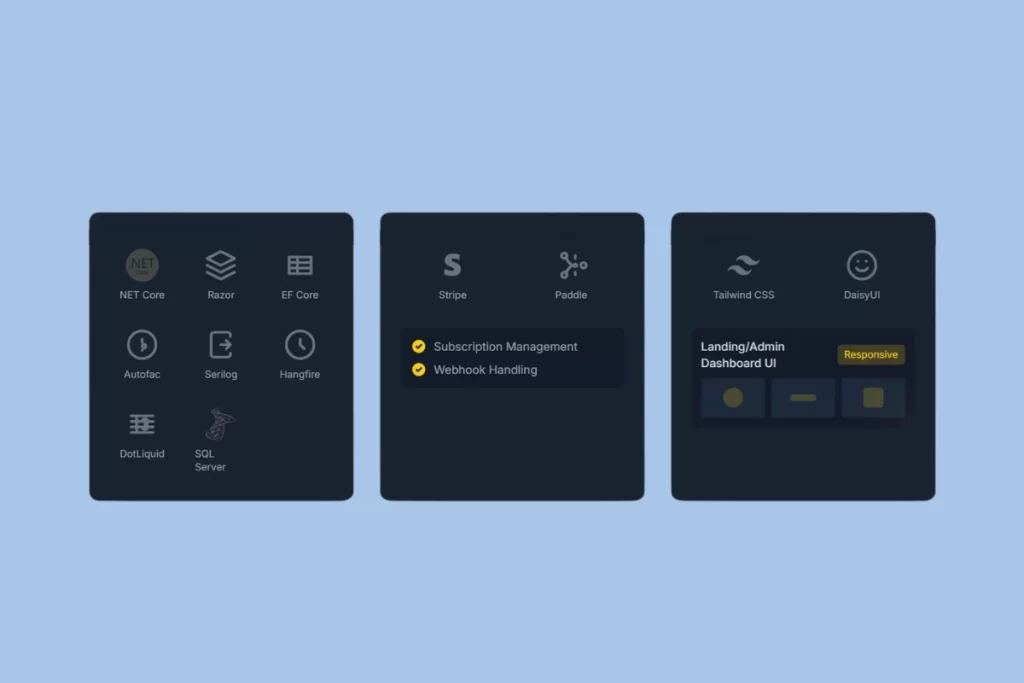
The architecture is powered by a solid tech stack:
| Tool | Purpose |
|---|---|
| .NET Core 8.0 | Fast, stable, and LTS-supported |
| Entity Framework Core | ORM for SQL Server (or other DBs) |
| Razor Pages + MVC | Clean separation of views and logic |
| Autofac | Dependency injection across services |
| Serilog | Logging with structured output |
| Hangfire | Background jobs & task scheduling |
| Tailwind CSS + DaisyUI | Modern, responsive UI framework |
| DotLiquid | Flexible email templating engine |
A Boilerplate That Grows with You
Most boilerplates force you to rewrite or rebuild when your app evolves.
EasyLaunchpad doesn’t.
Instead, it’s:
- Startup-ready for quick MVPs
- Production-ready for scaling
- Enterprise-friendly with structure and discipline built in
What Other Devs Are Saying
“I used EasyLaunchpad to go from idea to MVP in under a week. The modular codebase made it easy to add new features without breaking anything.”
– A .NET SaaS Founder
Conclusion: Why Architecture Is Your Competitive Edge
As your product grows, the quality of your architecture becomes a bottleneck—or a launchpad.
With EasyLaunchpad, you get:
- A clean foundation
- Production-tested modules
- Flexibility to scale
All without wasting weeks on repetitive setup.
It’s not just a .NET boilerplate. It’s a scalable SaaS starter kit built for serious developers who want to launch fast and grow with confidence.
👉 Ready to scale smart from day one?
Explore the architecture in action at https://easylaunchpad.com